Most used apps for Google Nexus One

Posted by Sid Das on June 4, 2010 under Google Nexus One | Be the First to Comment

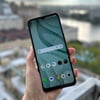
I’ve had the Google Nexus One for a little more than 6 months. True to any modern superphone, the apps end up being the most used. Here is a list of apps that I’ve had on my phone in this time. Just so you know, I’ve never bought a paid app on the Nexus One ( goes to show the long way Android market has come). You may also want to read Mashable’s 60+ Awesome Android Apps for specific apps for your area of interest.

Advanced task killer : This is the first app I download every time I get an Android phone. Android phones have a habit of using your phone network to access the internet and if you are on a pre-paid like me ( or on a metered internet plan) you may end up reaching your quota rather quickly. ATK sits on your notification bar and lets you kill the applications that are running. The key is to program yourself to check the notification bar as often as you can when you are not in a wifi zone.

Facebook: This is a no brainer. People using Facebook on an iPhone or an iPod touch can maintain that smug look on their faces because the Android Facebook app has a long long way to go before it matches its iPhone sibling. But for the most part, it helps you interact with most of Facebook’s features.

Evernote: I can’t remember how my life was before Evernote. I use Evernote on my computer, my phone and my ipod. It is the best note taking application out there and the Android version has just had a major upgrade. If you’ve not used Evernote before this, I would recommend you to install it NOW and give it a shot. The free version comes with enough storage for everyday needs.

Dolphin Browser : The Nexus one browser is fantastic (whoosh..watch those pages load ), but the dolphin browser has some clear advantages. It is visually better, offers multi tab browsing and easy bookmark syncing. You should give Dolphin a decent run before you decide on your default browser.

DoubleTwist : Double Twist is to Android what iTunes is to an iPhone. The first thing you should do is to download the Double Twist on your computer. It is the best way to get music, photos onto your Nexus One. This week, Double Twist launched an app in the Android market which is a media app. It is a good music player app.

Seesmic/Twitter : For all those who are addicted to Twitter, Seesmic offers the best Twitter app for Android. Seesmic helps you manage multiple Twitter accounts. You can also download the official Twitter app for Android if you fancy a change.

Foursquare: I am addicted to Foursquare. For the uninitiated, Foursquare is a location based service which helps you ‘check in’ to certain locations and engages you in a game like format.

Astro: For the slightly nerdy, Astro is the simplest file manager for Android. Really handy if you want to rummage through the Android file system and install applications which are not on the market.

Colour note: Unlike the iPhone, I miss a default notes app on the Nexus one. Colour note is simple and is very useful if you use your phone to maintain grocery lists and simple to do’s

Jewels: I am not a huge gamer on the Nexus one but Jewels is a really addictive game on the Nexus one. Really simple to pass 15 mins of your day playing it.

Opera Mini 5: I like the Opera 5 because of its compression technology. So if you find yourself reading image heavy sites on your GPRS network, I would definitely recommend Opera. It does not load the pages with the panache of the default browser or Dolphin and there is no pinch to zoom, but it does what it promises. It loads the webpages in turbo speed.

If you find other apps that you like or if you feel I have missed out some gems, please leave me a comment. If you would like more updates follow me on Twitter @techilicious

Enjoy your Nexus One!

Change the default browser in Android

Posted by Sid Das on May 28, 2010 under Android | Be the First to Comment

If you are someone who uses the phone to browse the Internet, you probably have more than one browser installed on your Android device. The first time use download a new browser, Android asks you to pick a default browser and it will continue to do so for every website link you open until you make your choice. But after you are done selecting, its not very clear on how you can change it back. Well, here are the steps to change your default browser.

1) Click on Menu and then Settings

2) Go to Applications > Manage Applications

3) Find the application that is set as the default. It will be under ‘Internet’ if you are using the HTC Desire

4) Under Internet, look for the option ‘Launch by Default’ and tap on ‘Clear Defaults’

The next time you open the browser, it will ask you to choose your default browser again and you can choose which ever browser you prefer the most.

If this tip helped you if you have any other questions on Android, please leave a comment at the bottom and I will get back to you as soon as possible.

Change the wallpaper on HTC Desire

Posted by Sid Das on May 27, 2010 under Android | Be the First to Comment

If you are the proud owner of a HTC Desire and are bored with the default wall paper here are the steps to change it to one of the cool HTC wallpapers or Android’s Live Wallpapers.

1. From the Home screen, press MENU, and then choose Wallpaper.

2. Here you can select Live wallpapers to choose from preset animated wallpapers or select Photos to select a photo that you have taken using the camera or copied to your storage card. Crop the photo and then tap Save.

Your phone wallpaper will have changed to the one you have chosen.

If this tip helped you and if you have any other questions on HTC Desire, please leave a comment at the bottom and I will get back to you as soon as possible

What does Symbian^3 mean for Nokia?

Posted by Sid Das on February 23, 2010 under Symbian | Be the First to Comment

By now, everyone including Nokia accept that they were late into the ‘slick and pretty’ interface game. The terms, boring, insipid and inconsistent have been applied to Symbian’s latest OS, the Symbian 5th edition. But all that is set to change with the advent of Symbian Series 3. So what are the fundamental changes that Symbian 3 brings and is it enough to give Symbian a facelift?

S^3 has improved 2D and 3D hardware acceleration. This should definitely improve the gameplay in Symbian phones. With the quality of games in the Ovi Store improving with each passing day, this should please Nokia users immensely. Additionally, there is full support for 1080p HD which will turn the games on the phone into true TV console quality.

S^3 will also have support to additional music stores other than the Nokia Music Store. iTunes support seems unlikely, but if AmazonMP3 comes on board, that should see music sales soar. Now, if they only remove DRM protection so users can freely transfer the music to other players.
One of most talked about features is the homescreen with support for multiple widgets and typical symbian multi -tasking. Multi touch gestures are also supported, which means the usual pinch to zoom features will be available for all S^3 phones.

Is Symbian finally onto something exciting or is it still playing catch up with the big boys of user interface. I feel it’s going to be impossible for anyone in the near future to match the iPhone in terms of usability, but Nokia should focus on what it knows best, providing affordable phones in markets where a handset does not have to be a smartphone that is a gateway to the Facebooks and Twitters of the world, but more of a stripped down reliable communication tool. Nokia continues to have the best GSM antennas in the business and this is crucial in emerging countries where cell phone towers may be flaky.

There is going to be a huge group of people who want to use their phone for calls and simple messaging and this audience will be over whelemed by the Series^3 or Maemo OS. I hope Nokia continues to keep this audience in mind and continues to support the Series 40 and Series 60.

The conservationist in me misses having phones which run for 3 days without a charge. ( I am currently using a Google Nexus One, which is DEFINITELY charge-once a day ) The fancy screens and the multitude of features are great for the super user but it still forces us to charge our phone everyday which consumes more energy. Phone manufacturers should look at this aspect closely. I can’t wait for the newly announced ‘Puma phone’ to turn mainstream.

Here is a video of Symbian^3 in action


** Video courtesy of Nokia

App stores-what next?

Posted by Sid Das on January 16, 2010 under App stores | Be the First to Comment

One of the first tweets I read yesterday was, Techland’s 18 Android apps to get you started. No surprises there, the list contained the usual suspects, Seesmic, Dolphin browser, Google Sky, Layar. This post got me thinking how much ‘apps’ have become a part of an enjoyable mobile experience and I began wondering about the next mobile phenomenon lurking in the shadows. What next wave of technologies can grab and retain the user’s interest and help developers monetize effectively so we can continue seeing hundreds of thousands of apps.

The first and quite obvious answer is next generation mobile websites. I’ve used ‘NextStop‘ and Yahoo’s calendar app ‘Upcoming’ and they justify the tag of ‘next gen’ websites. They use HTML 5 and somewhere in the middle of using them, I forgot that I was on a webpage. With the added advantage of not having to wait for approval from any of the app stores, these websites can reach audience faster than any of the apps. These websites give me strong confidence that there is a big future for native mobile websites.

The next facet of apps that I am interested in is offline usage. I use at least two apps a day when I am offline and don’t want to use up my 3G bandwidth. The next wave ideally should be for these apps to come installed as part of the stock phone OS. If you are upgrading a phone, you are given a choice to install the same applications and add a few extra ones with your new phone which is added to the cost of the phone.

The next important category of apps is the online games. The Apple app store makes it a cinch to download games onto the iPhone. What I need from the next generation of games is a ‘Spotify’ kind of a system where every game I want to play lives in a GLOUD (games cloud) and I can access it anytime I want to using my 3G or Wi-fi. Obviously, this should be optimized to reduce the bandwidth and also gives me a chance to download a session offline with the ability to sync it back to the Gloud.

The last and probably the most important thing for the next generation to succeed will be the monetizing strategy. The app store has turned quite a few people into millionaires in a short span of time. To be honest, I don’t have an answer to this question. Maybe, mobile ads become more interactive and target users better, maybe we start seeing cloud based ads and cloud fees to support the infrastructure and maybe the developers have a tighter bond with phone manufacturers. Please let me know in the comments section, how you think developers can monetize their work in the next decade.

I bet that we will see a shift from ‘Is there an app for that?’ to ‘Is there a need for an app?’

** Image courtesy of ‘textually.org’

Musings about the Google Nexus One

Posted by Sid Das on January 6, 2010 under Google Nexus One | 4 Comments to Read

IMG_0322.JPG

Today, Google announced their official foray into the smartphone, or as Google like to call it, the ’superphone’ world with the launch of the Google Nexus One. I’ve been lucky to get my hands on a Nexus One in December. I’ve been using this as my primary phone for about a month now. Here are my real world impressions of the phone. I will have detailed video walkthroughs of each aspect of the phone in the coming weeks.

Hardware:

The hardware of the Nexus One is the closest I have seen to the iconic iPhone. It is sleek, thin and a delight to hold.The 3.7 inch AMOLED Display is gorgeous and is super responsive. I’ve been using it in all conditions and it’s definitely not the fingerprint magnet that I thought it would be. Below the display are 4 hardware tactile-sensored buttons ( these are not strictly hardware keys), Back, Menu, Home and Search. Below this is the multi-coloured trackball ( it notifies you using different colours for emails, tweets, app downloads etc). You can also use the trackball as a mouse while browsing. There is a volume rocker at the left side ( which can also be used to pageup/pagedown on a website). The top of the phone has a Sleep/Wake button and a 3.5mm headphone jack. At the back, there is a 5 Meg Camera with a single LED Flash. Overall, anybody wondering if this phone is going to be awkward to hold because of the size should rest easy. If you are ok with the size of an iPhone/iPod touch then you will have no problem with the Nexus One. The Nexus one comes preloaded with a 4GB micro SD card, upgradable to 32GB and a 1400 mAH battery.

Software:

As you already know by now, Nexus One runs Android 2.1. I’ve owned a HTC G1 and a HTC Hero before, so I can tell you how far the Android OS has come. The Nexus One sports the fastest and the smoothest Android software yet. Aided in no small way by the 1GHZ Snapdragon processor, the phone moves quite fluidly throughout. One of the most awesome features is the Voice to text capability on every text input box. I have messaged, tweeted, searched and emailed by speaking into the phone. It is not perfect by any stretch of the imagination, but I have felt that it’s intelligent enough to get better with time. The other glam-feature are the live wallpapers. The wallpaper you see in the image is a live wallpaper of water with leaves on it and the water creates a ripple when you touch anywhere on the screen. Its pretty nifty and is definitely one of those ‘oh cool’ moments. Everything else is similar to the stock Android 2.0, including Facebook Integration.

The keyboard in the Nexus One is something I wanted to highlight. It is the standard Android keyboard. The screen size affords the luxury of a pretty comfortable keyboard, the haptic feedback and the inbuilt dictionary is great as well. But I still could not reach the speeds I reach on my iPhone. Like all Android keyboards, it falls just short of the iPhone’s comfort level. I downloaded swype today on the Nexus One and it looks really promising.

The default browser on the Nexus one is great and renders desktop like pages almost every time. It does not match the Safari on the iPhone, but its solid. I prefer using the Dolphin browser available in the Android market. With nifty gestures and bookmark integration, it packs in more features than the default browser

Market:

The Android market is increasing rapidly from the G1 days. There are a lot of nice apps available here. A few of my favourites are Evernote, Astro, Pixel Pipe, Dolphin, Foursquare and Seesmic. It still lacks the range of the Apple App Store, but 2010 is going to be the year of the Android market.

Overall conclusions:

Would I buy the Google Nexus one over the iPhone? No, not right now. Even in its current form, the iPhone offers most users the best experience on a phone. With a significant upgrade expected this year for the iPhone, I’d be tempted to wait until the middle of this year. The super users should definitely consider the Nexus One. Its got style, raw power and a thriving OS to propel it forward. This is going to be a year of confrontation between Apple and Google in the phone world.

As for me, I have a Google Nexus One and a 32GB iPod Touch. So I’ve got my bases covered either way.

5 reasons why the Google Nexus One will not trouble the iPhone

Posted by Sid Das on January 5, 2010 under Google Nexus One | Be the First to Comment

Google Nexus One

After Engadget’s review of the Google Nexus One, it confirmed my belief that Google’s official foray into the smartphone world is a case of hype over reality. It looks thinner and sleeker than the iPhone, but with no game changing features, I do not see it affecting the ‘Apple’cart significantly.

Here are 5 reasons why the Google Nexus One will not trouble the iPhone

Great speed needs great browser: Going by all evidence, the Nexus One is fast ( thanks to the 1GHZ Snapdragon processor), but the Android browser, still lags the iPhone’s Safari browser by a fair bit in terms of intuitiveness and crucial features like ‘multi touch’ ( which controls all the ‘pinch to zoom’ features. Sure, there are alternatives to the stock Android browser like the excellent Dolphin browser ( with nifty gestures), but it still can’t match the iPhone for browsing delight.

The sheer price of the device: At an expected price of $530 unsubsidised, it squarely caters only to the super geeks. No common man will be ready to spend that kind of money on a device without a proven track record. In terms of a carrier support, it is going to be released initially on T-mobile ( on one specific plan).

No special ‘Google’ experience: With the regular stock Android 2.1, there is nothing that sets this phone apart from the Motorola Droid or future phones based on the Android OS. There is no special sync capabilities or any other feature for that matter which differentiates this phone.Sure there are live wallpapers, but I dare you to remain fascinated with that feature for more than a day. (The Voice to Text feature is rumoured to be its best version yet, this could change the way we interact with the phone)

Lack of quality apps: As Om Malik rightly points out, its time for Google to invest a lot of time in improving the Android market. Big name developers are quite bullish on the Android ecosystem, but we are still to see the range and polish of the Apple App Store. The lure of the App Store is so great that new smartphone users will ask the question ‘Is there an App for that? ‘

Lack of a better camera: Admittedly, one of the easiest way to trump an iPhone is to have a good camera with flash. But, it’s really surprising how no Android phone has come close to matching the image quality of the iPhone. It appears that the image processing algorithm is Android’s best yet, but in the world of the Sony Ericsson Satio and the Samsung i8910, the Nexus One just pales in comparision. Well, at least it has 5 megapixels :-)

The recurring theme in this post has been ‘appears to be Android’s best’, which is what the Google Nexus One may well turn out to be, Android’s poster child. But that is still some way behind Apple’s. All that is left is to see is if Google has some secret trick up its sleeve for today’s press conference, maybe a cracker deal with a whole bunch of carriers or $1000 AdWords credits for every purchase of the Nexus One :-) . We will cover the highlights of the Google Android Press Conference here on techilicious.com or you can follow our updates on Twitter @techilicious